Showing posts with label iPhone. Show all posts

Tuesday, September 8, 2009

The one thing iPhone users want that Apple can't give

The Apple iPhone is one of the most savviest smartphones available right now on the market today, not just because it is so slick and sexy-slim, but also because of many things it can do with help from the abundant apps offered in App Store.

This fact has been backed up by O2, the wireless carrier who has an exclusive right to sell the iPhone in UK, a spokeperson said (via TG Daily): "The iPhone is our fastest selling handset ever and has been a phenomenal success for our business. Customer demand for both the iPhone 3G and iPhone 3G[S] has been outstanding."

Apple also has been improving, and still doing it, the iPhone "experience" with the new iPhone OS 3.0 software update, giving users many new features of what they've been asking for since the first gen. Like for examples are the 'cut&paste' feature, MMS, tethering, etc. But there's one thing that Apple still can't give...

According to a recent report from Strategy Analytics, called "Retaining and Attracting New Customers: Profiling the Apple iPhone User," iPhone users are demanding for better battery life. The report was made to project what iPhone users like and dislike, so it can be used to know what kind of improvements the users want in a new model.

"iPhone owners use more features on a regular basis than non-iPhone owners, with two-thirds browsing the Web and sending personal e-mails daily -- features which will considerably drain battery life," according to Paul Brown, Senior User Experience Analyst at Strategy Analytics (via PC World).

On its Technical Specifications page, Apple is stating that the iPhone 3G[S] battery has longer life than previous models:

  • Talk time: Up to 12 hours on 2G, and up to 5 hours on 3G
  • Standby time: Up to 300 hours
  • Internet use: Up to 5 hours on 3G, and up to 9 hours on Wi-Fi
  • Video playback: Up to 10 hours
  • Audio playback: Up to 30 hours
Those are what Apple is claiming, but in real life that isn't all come true. iPhone users are complaining how the battery is drained too fast for a single day charge, one user called 'aart12' said: "My iPhone usage is hardly more that my use with other phones, but it barely lasts 9 hours from full charge. I have even experimented with not using the phone at all, turning off wifi, and push, and even then the full charge only lasts 10 to 11 hours. THAT is ridiculous."

Although other users are taking the battery life issue with more logical reasoning, 'tregan01' said: "The argument for a longer battery life on the iPhone is relative. If you used it as a phone, like it is, the battery life is fine and will last you all day. If, however, you're like myself and I assume most iPhone users, and use it to continuously check email, connect to the Internet, etc, then you're using the iPhone more like a portable computer, and the battery is comparable to that of any standard laptop."

Battery life has always become an issue for mobile users, because while the technology and software are keep improving rapidly from time to time, engineers haven't been able (yet) to pack more cells into smaller containers to create a long lasting battery life. Palm Prē™ users also have similar problem with battery life, especially since Palm's latest smartphone packs smaller battery size than in the iPhone 3G[S].

It is safe to say that the argument of having longer battery life in any smartphones nowadays is impossible, since we're transitioning from mobile phone to smartphone and to smaller-more-portable laptop. With more features thrown into a smartphone, it's becoming a netbook-alike even when it is already capable of taking you to surf the web with desktop experience, close but not the same.

But if you do prefer more 'dumb-er'* iPhone in exchange for better battery life, then that's probably what you're getting these days... ;-p

* Note: please forgive the pun of using this word several times on my posts, it is un-intended and the word seems to be picking up the pace lately on the net..

Sunday, September 6, 2009

PA's 4th edition of "There's an app for that!": Alien attack survival kit

Another week went by since the third edition of "There's an app for that!", and now we've arrived at the fourth edition. Enough of all the serious tools and apps, it's time for something more serious than that. A couple weeks ago I've just watched District 9 movie, great movie by the way, bottom line the moral story that can be drawn from the movie is that everyone can be turned into an alien. You'll never know...

So with that serious thought in mind, I'm gathering around three apps to help you survive or thwart aliens attack, because who knows perhaps they'll come in handy for you someday.

I'll periodically release another edition when I found some interesting apps. Have a great start of the weekend y'all, and hopefully these apps can cheer you guys up.

Alien Detector

Got the feeling you're being followed by an alien that look like a human? Feeling like your best friend act strange lately? Or do you ever wonder if you were once abducted by aliens and they put bad things in your brain?

Then don't wonder around clueless any more, there's an app for that: Alien Detector. The 0.99 cents worth app will help you detect the person you suspect as an alien, here's the description from the developer: "Alien Detector is a high-tech app that with the advanced use of accelerometer simulates a sophisticated alien life form detecting device. Just tilt your iPhone/iPod Touch a little to start the measurements."

Remember, the first step to stay out of alien's way is to spot one nearby.

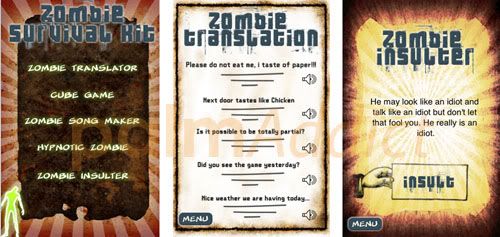
Zombie Survival Kit

Aliens, zombies, what so different about them if they're all after your life.
But how about if you're done chasing or running away from aliens and zombies, you're cornered and forced to face them? There's an app called Zombie Survival Kit ($0.99 cents) to help you to talk your way out with one of its many features; the Zombie Translator.

Here's the description of the aforementioned feature by the developer: "When they do approach you, try and reason with them by using the zombie translator. We have carried out market research to identify the most useful sayings to say to zombies, and have converted these sayings to audio."

Besides that, my favorite feature would be the Zombie Insulter. But use it at your own risk, because not all zombies are alike, not all of them like to be insulted by mere mortals like us.

Wave Writer

Sometimes you just can't reason with aliens and zombies, because they're basically different from us, so the best thing to do is run. But like in any horror movies, we usually end up locked in a tall building or in a remote area.

And when help is coming, which a platoon of tough soldiers in a chopper is searching for you, screaming and shreaking like a little girl won't do any good. What you can really do is to use your iPhone/iPod Touch as a beacon light to attract the rescue team, there's an app up for that task: Wave Writer.

The free app is for creating a scrolling banner that matches to the speed of your phone as you wave. The effect is that of stationary text in space exposed by the phone. It's good for attracting people's attention, just becareful on attracting alien's attention as well while you're doing it.

iSplosion

The last effort, when all things fail.
Inspired by the recent reports of exploding iPhones, this app will blow off your iPhone automatically once activated. Just don't forget to throw your iPhone at the aliens & zombies, otherwise...
Watch the video on how to properly use it, or how you'll end up if you don't.

Tuesday, September 1, 2009

Apple has prepared iPhone tethering in Snow Leopard

JPCaine (Twitter link, via the iPhone Blog) has found this little gem inside Apple's newest Mac OS X Snow Leopard: iPhone tethering icon ready in System Preferences > Network settings, like you can see at the screenshot above.

This precious small finding once again bring the question back onto the plate on the table; is AT&T the real culprit who prohibited tethering practice in iPhone? Because it's getting obvious each passing days with the mounting evidence, that AT&T is dragging down iPhone's true capabilities although Apple has made it available to be harness anytime.

And perhaps this quite obvious and a daring show-off of iPhone tethering icon in Snow Leopard could mean that Apple is about to cut loose AT&T's exclusive deal on iPhone, well I'll say it's about time don't you think?

Monday, August 31, 2009

Does Apple want your iPhone to stay dumb?

On an unexpected turn of hand, Apple has asked Bjango to take off their most powerful feature in iStat app for iPhone: Free Memory function, which allow users to free used up memory stored in RAM of their iPhone. Here's a quote from Bjango's website:

iStat’s Free Memory function was removed at Apple’s request.

We are very committed to ensuring iStat is the best iPhone and iPod Touch monitoring tool. Free Memory has been removed, but a lot of other useful features will be added in its place.

For you who didn't know yet, iStat is an app that allows you to see your iPhone’s stats for battery, memory, disk space, WiFi and Cell IP addresses, uptime & load averages, plus view and email your iPhone’s Unique ID and MAC address.

With the main star is now being pulled off from the center stage, Bjango had to lower the price of iStat from the normal price $2.99 to $1.99, and added some minor new features to temporarily fill in the empty slot.
But even Bjango informs iStat users who wish to keep the Free Memory function alive to keep running the v1.0, or if users have already updated iStat to v1.1 then it's possible to re-install the first version again.

But by keep using the iStat v1.0 means you'll never again able to click on the "Update All" again...
Talk about being smart, or being stupid? Which one do you want; update the app and feel the warm fuzzy feeling in your chest that you have the up to date version, or keep the important feature and go through the endless time on updating every apps installed within your iPhone one by one?

Actually to think of it, there's a good reason why Apple do this; when a user free used memory then it's possible there's certain important service that needed to run is being turned off and causing the iPhone to crash unexpectedly.

For instance is what happened everytime I stopped apps in my Trēo™ 750v using the memory management feature in Windows Mobile, it sometimes freeze up and I had to do a soft reset to fix it. This got me to think of Apple's policy to restrict multi-tasking in iPhone, could this is an attempt from Apple to create a more stable platform than the other crash-prone mobile platforms?

But by doing so, Apple has disabled the ability for users to have VIP access behind the velvet curtain of iPhone system. Users can't take full control over their own iPhone, nor allowed to see what's happening behind the scene, behind that glossy screen and curvy body contour of their iPhone. "It's just work," that is Apple's slogan for every and each of its products, Apple wants its users to believe that everything work by magic or there are Oompa Loompas in there churning up the gears..., and that's pretty much what the iPhone users can get.

But then what is the use of owning one of the most cutting-edge and savviest smartphones in the market, if you can't make the most of its prowess through the features provided by the apps?
Perhaps that's the way Apple want your iPhone to be, to stay dumb for good...
Oh wait, or is it you're the one that Apple wants to stay dumb...?
Darn, it beats the hell out of me to think of it... ~LOL~

Sunday, August 30, 2009

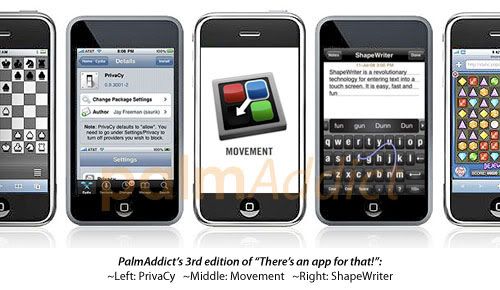
PA's 3rd edition of "There's an app for that!": Privacy, Movement and ShapeWriter

Another week went by since the second edition of "There's an app for that!", and now we've arrived at the third edition. Hope you'll like this one too..

With more and more apps are flooding into the App Store every day, it's imposible to keep track each and every one of them. Especially since there are more crap apps in there, rather than the one that's really useful for your need. Apple is proud with the abundant of apps inside its App Store, and even came up with a slogan for it: "There's an app for that!"

So with those facts in mind, I'm gathering around three of them, because who knows perhaps they'll come in handy for you someday, and I'll periodically release another edition when I found some interesting apps. Have a great start of the weekend y'all, and hopefully these apps can cheer you guys up.

Privacy_app PrivaCy

It was a quite of debate when news about how iPhone apps are sending data to 'home' (the developer who created the app) broke out on the net, in fact it is still now. It's a love and hate situation for iPhone users, since first of all the data sent 'home' is sensitive information for some users, and secondly the data can be used for good like for improving the apps by developers.

But nevertheless, for you who are not comfortable on knowing that some of the apps installed in your iPhone might be sending data without your consent, there's a free app in Cydia just to block all of those data tracking on (jailbroken) iPhone; it's called PrivaCy.

According to Patrick J from JAiB; the app adds a new item to the Settings app, right below ‘Store’. When you tap on it in Settings you’ll see a screen labeled ‘Send Anonymous Usage Statistics’ –and you can toggle On and Off this data collection for four leading companies (that provide this function within thousands of apps). Read Patrick's extensive blog to know more about data tracking by Pinch Media.

With this app installed in your iPhone, you can finally sleep tight again tonight. ;-p

Movement

Movement_app Having hundreds of app within your iPhone is like collecting trophies, so some say, it's like a good reason to brag at your geek friends when all of you are hanging out in a bar. For an avid App Store visitor, having up to 100 or above apps seems like a normal behaviour, not to mention whenever new free apps are being offered for a limited time.

But managing each and one of the apps is just plain a headache to do, from the moment the newly installed app appears in home screen to the time you spent minutes / hours to rearrange it with the other app icons. It get worst when something bad happened, you have to restore the iPhone and later the app icons are scrambled again.

Thank goodness a developer name Jeff Stieler has created an application called Movement to manage the app icons arrangement on your jailbroken iPhone, but it is done through your Mac (at least OS X 10.5). And for you Windows users, too bad because Jeff says he is not going to create a Windows version of his app. Here's the quote from Jeff:

I am sorry, but I have no plans of porting Movement to Windows.
Instead, I will focus my free time into improving Movement as it currently exists.
My apologies to all the Windows users wanting Movement, I just don't have the time!

Perhaps it's about time you PCs switch to Mac. ~LOL~

ShapeWriter

Shapewriter_app This isn't exactly a new app because it's actually has been around for quite some time, ShapeWriter is an amazing and a well known app for helping those who have trouble writing with virtual keyboard on touchscreen smartphone. Users don't have to punch the desired buttons like they used to, but simply by dragging their fingers across on-screen keyboard to produce the words they want. Here's the explanation from the developer:

Shape writing, based upon nearly 10 years of research and development, is an easy, fast, and fun way to write on a computer or mobile device. Instead of “hunting and pecking” letters, single gestures on a touch keyboard produce an entire word. For example: a stroke that roughly connects “w” to “o” to “r” and ends on “d” is recognized by ShapeWriter’s intelligent algorithms as the word ‘word’.

According to Jason D. O'grady from ZDNet; the app is based on research that began in the late 1990’s at IBM. Its Almaden Research Center published the first rigorous mathematical optimization result of touch keyboard based on the Metropolis “random walk” algorithm — the same algorithm used by scientists to understand molecule structures. *wow!*

There are two version of ShapeWriter app in App Store; one is free and the other one is the pro version worth $5 per license that will give you cut/copy/paste, landscape support, custom colors, fonts and appearances, a practice game and the ability to turn off the email footer and ads.

ShapeWriter has been gaining numerous praise not only for iPhone, but also for Android.

Dev-Team: it's all "snowy" and safe with Snow Leopard

It's been awhile since Apple overhaul its successful operating system for Macs, so it got everyone excited to see the next generation Mac OS X when it was finally made available for every Mac users on August 28th. But Snow Leopard is not an entirely new operating system, it's more like a tuned-up from the previous version.

"Refined, not reinvented." That is Apple's slogan for the new Snow Leopard, and Apple claims the new operating system will still have its simplicity and ease of use like Mac users love it. Simply put, Apple intend to make Mac OS X better and faster. It is possible this is needed to be done in order to put Snow Leopard in battle head to head with Microsoft's upcoming Windows 7, which is said to be the best Windows OS since the aging XP.

Most of Mac users immediately made a jump to download and install the new operating system, some already giving out positive feedbacks on using it for few days. But as good as it gets, a jailbroken iPhone owner should remember to think twice before hitting that update button, is it safe for my bricked iPhone?

Apparently Dev-Team also made a quick announcement that the new Snow Leopard is safe enough to use with the 'redsn0w' and 'ultrasn0w' unlock tools, here's the quote from their website:

Snow Leopard, the OS released for Mac on Friday, poses no new wrinkles for the redsn0w jailbreak or ultrsn0w unlock.

To summarize the status of our tools (all of which are available through the links at the left):

  • You can use redsn0w to jailbreak any iPhone or iPod Touch using OS X, Windows, or Linux. For both 3.0 and 3.0.1 firmwares, you should point redsn0w at the 3.0 IPSW. If you see it hang at “waiting for reboot”, just unplug and replug that USB cable.
  • You can use ultrasn0w to unlock the iPhone 3G/3GS, or BootNeuter to unlock the iPhone 2G. Both ultrasn0w and BootNeuter are available via Cydia.
  • You can use PwnageTool for Mac to create custom IPSWs with pre-installed packages.
  • For detailed guides on how to run any of these tools, sites like iClarified have some great tutorials. For specific help on any problems, feel free to use our comment system below. angiepangie and Confucious are your friendly moderators and they’re joined by a number of other very knowledgeable commenters too!

We’re glad to see Apple joining in on the “snow” theme. If only Apple had called their new OS “Sn0w Leopard”!

Hopefully that is indeed a good sign of Apple is "blessing" the unlocking tools for iPhone. That's what we all really want right? One big happy family of white "sn0w" Mac OS X. ;-p

Sunday, August 23, 2009

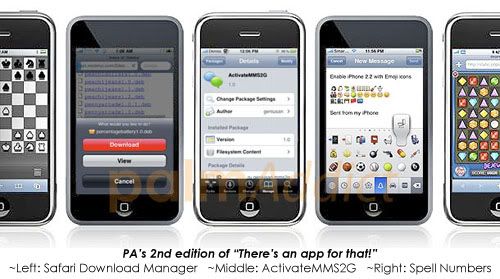
PA's 2nd edition of "There's an app for that!": Safari Download Manager, ActivateMMS2G, Spell Numbers

Time flies by so quickly when we're busy doing things, it's already been a week since the first edition of "There's an app for that!". Hope you'll like this one too..

With more and more apps are flooding into the App Store every day, it's imposible to keep track each and every one of them. Especially since there are more crap apps in there, rather than the one that's really useful for your need. Apple is proud with the abundant of apps inside its App Store, and even came up with a slogan for it: "There's an app for that!"

So with those facts in mind, I'm gathering around three of those funny yet quite useful apps, because who knows perhaps they'll come in handy for you someday, and I'll periodically release another edition when I found some interesting apps. Have a great start of the weekend y'all, and hopefully these apps can cheer you guys up.

Safari Download Manager

Downloading large files is considered a common thing in today's digital era of HD (High Definition) movies and audios, music sometimes offered not only per one song but in albums, and sometimes you need to download a bulk of documents on the go, what can you do when you left your laptop behind?

This is when Steve Jobs' words really proven right: ”You know, one of our entrants into that category if you will is the iPhone, for browsing the Internet, and doing email and all the other things that a netbook lets you do. And being connected via the cellular network wherever you are, an iPhone is a pretty good solution for that, and it fits in your pocket."

That's right, you got your iPhone/iPod Touch in your pocket. It can help you to download those files you needed right away, but wait a sec, how do you do that exactly? Enter the Safari Download Manager (SDM), a $2 dollars worth app that helps you to manage your downloads on your iPhone. From finding the files in a website, to lets you continue browsing while the downloads keep moving, with the app you can download several files and put them in queue or download simultenously,.

Safari_downloader_screenshot The geniuses behind SDM are Dustin Howett and Youssef Francis, here's a quote from them:

"This extension brings a full download manager to Safari, complete with running and controlling multiple downloads, accessible via a new toolbar item. This is an improvement on other existing extensions that take over the currently displayed document to display status information, hindering your navigation. Safari Download Manager (SDM) allows you to continue browsing while downloads are taking place (and can even download in the background, as Safari will not exit if there are any pages loaded).
Users can configure filetypes to download and add their own extensions and mimetypes to the download list."

The SDM app will add a new tab at the bottom bar of the Safari, and once you start downloading, a badge will pops out to show you how many downloads are going. At the download tab, you can view your downloads and the progress bar, still in there you can cancel any downloads too.

Safari Download Manager app only available in Cydia App Store, Apple should've let this app in the official App Store, it's about time iPhone users make use the 3G connection don't you think?
* SDM screenshots are courtesy of ModMyI

ActivateMMS2G

Don't believe everything you heard from big companies, not even if it is Apple. Only a fool take everything they say for granted... ;-p

They say the iPhone Classic, you do remember this poor first gen iPhone with only EDGE connection, can't have MMS because of hardware limitation. Creating a wave of jealousy from the brave first adopters to those who have the iPhone 3G / 3G[S]. But is it? Or is that only another Apple's marketing strategy to lure people to buy the new iPhone? Either way, not everyone is jumping to buy a newer iPhone whenever Apple releases one, in fact there are people out there who still linger to their iPhone Classic.

So fear not, o' you brave souls, there's an app for that, to enable MMS in your iPhone Classic. ActivateMMS2G is can be considered as a hack app that will patch your iPhone 2G (EDGE) to allow it to receive and send MMS, the app can be found in Cydia. All thanks to the creative genius iSpazio who have made this happen, here's the detail on how to install the app (via iHackintosh):

141430-activatemms2g_original Pre-requisites:

  • iPhone 2G OS 3.0 Jailbreaked with Cydia.
  • Uninstall "asBattery" if you had installed previously.

Instructions to enable MMS on iPhone EDGE:

  1. Go to Cydia and download the package ActivateMMS2G available in the repository of iSpazio.
  2. Restart the iPhone.
  3. Next go to Settings > Messages and make sure MMS Messaging is ON. If it’s not, restart your iPhone one more time.
  4. Go into Settings> General> Network> Cellular Data Network, and add the MMS info for your carrier. You can check out their website or just call them and ask them.

* Note : Do not install the hack on Firmware 2.2.1 or view a black screen with the Apple logo and will have to restore. If you haven’t jailbreaked your iphone 2G with OS 3.0 yet then follow the easy steps Unlock/Jailbreak iPhone 2g OS 3.0 Using RedSn0w on Windows Mac.

Good luck!

PS: there's also a hack from iHackintosh on how to activate video camera in iPhone Classic (2G) and iPhone 3G using the iPhone OS 3.0 software, but looks like it's not easy as it look...

Spell Numbers (to activate Emoji)

Step10 According to a market data from Gfk Japan, the 32GB iPhone 3G was the most popular smartphone in Japan on July. Do you know why? I think I know why, it's probably got something to do with Emoji icon allowed in Japan's iPhone 3G. ~LOL~

Anyway, for you who don't know yet; Emoji is the Japanese term for the picture characters or emoticons used in Japanese wireless messages and webpages (taken from Wikipedia). Emoji is very popular in Japan especially among the teens, but apparently Emoji also become more and more popular world wide thanks to iPhone. However, there's a small tiny problem in using Emoji: it's not standardized yet. Each Emoji icons are different from one smartphone to another, and also not every wireless carriers allow Emoji. This is why Apple has stated that viewing Emoji picture characters on an iPhone requires iPhone OS 2.2 or later and a SoftBank SIM.

But thank goodness it was not the end of the world when Apple said that, like the saying goes like this: "there's a way if there's a will," there's an easy hack to enable Emoji in iPhone using a free app called Spell Numbers. But before the Emoji is activated in your iPhone, you need to activate the easter egg in Spell Numbers app first, here's the instruction complete with screenshots. Furthermore, the instruction says that Emoji on/off setting will still be around even if you delete the app.

There's a good news though for those who love Emoji icons; Apple and Google is joining hand in hand to propose an encoding for these emoji. But it looks like going to take some time before the proposal is finished, because so far there are 674 icons already and lots more to come. Read the proposal document (via What Japan Thinks) for more technical details.

Friday, August 21, 2009

Apple's new patent features 'file transfer in call' for iPhone

Apple is working another new feature for iPhone, that once again will help change the way we use our mobile phone; or in this case is Apple's iPhone. Apple has filed a new patent called “Auto messaging to currently connected caller”, which is basically will allow you to send text message, email, file, phone book contact info, etc. while the user is making call.

Here's a snipped explanation from the patent (via ModMyI):

While a user of a mobile device is using telephony services, the user may want to send a message or a file to another part . . . To send this information, the user may have to disconnect the call, and then perform a lookup of the caller's contact information prior to being able to send the message or file. This multi-step process can be tedious for the user.

This feature isn't entirely new for smartphone, but its potential hasn't been fully tapped yet. And if Apple can truly bring this new feature for iPhone come true to realization, then there'll definetely more satisfied iPhone users in the future.

Why? Well, I can't describe a way to use it better than what Staska from Unwired View did:
"It pisses me of, when a friend calls and asks someone’s contact info, and then I have to hang up, look it up and send it via SMS. And why do I have to do that? What’s wrong with keeping the call session open, giving me easy access the usual UI elements, and then giving me an easy way to use other messaging app to communicate with a person I am talking to?"

That's true you know, why hasn't anyone think about this before?

Monday, August 17, 2009

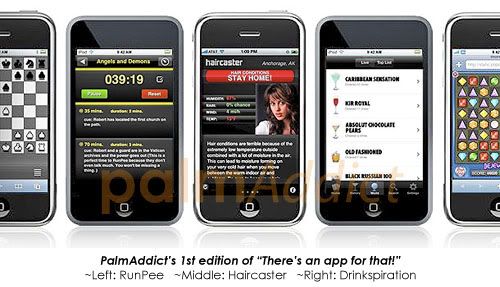
PA's 1st edition of "There's an app for that!": RunPee, Haircaster & Drinkspiration

With more and more apps are flooding into the App Store every day, it's imposible to keep track each and every one of them. Especially since there are more crap apps in there, rather than the one that's really useful for your need. Apple is proud with the abundant of apps inside its App Store, and even came up with a slogan for it: "There's an app for that!"

So with those facts in mind, I'm gathering around three of those funny yet quite useful apps, because who knows perhaps they'll come in handy for you someday, and I'll periodically release another edition when I found some interesting apps. Have a great start of the weekend y'all, and hopefully these apps can cheer you guys up.

RunPee

Runpeeiphone1 Imagine this; you're in the middle of the movie you've been dying to see since last week, and all of a sudden you can't hold on much longer to go to the bathroom for a small leak, blaming it on that huge glass of diet cola you bought won't help. Unfortunately the story of the movie is just beginning to get more interesting as your bladder feels like to explode any moment, and you definetely don't want to miss those exciting scenes of the movie.

RunPee is a $0.99 worth of app for giving out information about the movie you watch, not the summary of the movie, but the timing in the movie that safe enough for you to run to the restroom and release that annoying bladder of your of its pain without missing too many significant parts/scenes of the movie.

Don't laugh, although this app is kinda funny the first time you heard it, you'll be grateful for its service to help you lessen the frequency of getting scolded by the people in the same row you sat because you stepped too many times on their feet when you're trying to take leaks.

RunPee claims it is already very popular in China, where it gets more visits than the next 10 countries combined. And the RunPee creator Dan Florio describes his app perfectly:

"Our iPhone app gives movie goers “immunity” from the effects of mega-sized sodas and flushes away those grueling post-movie restroom lines where you have to wait your turn in pain and avoid awkward eye contact with the 30 other people in the restroom with you….a bladder is a terrible thing to hold."

But you must be warned though, that how important scenes in a movie are different from one individual to others.

Haircaster

Haircaster Everybody must had one or two bad hair day once in awhile, either it's because of the way you sleep last night or the way you abuse the use of hairspray in that particular morning, or maybe the most common excuse for everyone is to blame it on the fine weather. The sun is shining bright, the air is just about right, but for no apparent reason your hair just won't cooperate with you today to make you fabolous like usual.

Well, what do you know? There's an app for that; Haircaster is another $0.99 worth of app to help you deal with one of those fundamental things in our life, the hair style for today. The app description says that it uses a "proprietary formula developed in consultation with hair care professionals" to analyzes the actual weather conditions including: humidity, wind, rain and temperature – anywhere in the US to tell you what kind of hair day you can expect outside.

And one of its ultimate advice for you, God forbid if your hair ever falls into the wrong direction because how the wind blows, is to "STAY HOME!" Meaning you'll have to cancel those important meetings, the multi-billion dollar contract ready to be signed today, the hip parties you need to attend, etc.

Drinkspiration

Absolut-drinkspiration Drinking has always become a sensitive topic to discuss, whether it's because of the effect or worst is what it can cause to others too, but even as in present day it is still a lifestyle. The most important thing is to be responsible, and not to drink before or when you're driving.

Absolut has launched Drinkspiration, an app that works as an interactive encyclopedia of recipes that helps you find and share personalized drink recommendations based on spirit, taste, weather, time of day, bar vibe, sound volume, real-time drink trends, etc using help of GPS, Twitter and even Facebook.

"Have you ever found yourself in a bar without really knowing what to order? With Drinkspiration you'll never have this problem again. Drinkspiration is your best friend in the bar, giving you guidance, personalized recommendations and an all-encompassing gateway to the drink universe, right in the palm of your hand," said Fredrick Tallroth, senior manager, Interactive Marketing at the Absolut Company.

Users can also sign up for an account at absolutdrinks.com and the drinks ordered in your mobile app automatically create top lists in your profile. The company says the app has been downloaded 43,000 times in its first 13 days on the iTunes App Store.

Just remember, alcohol drinks are for adults and not good for those who're pregnant.
Don't drink because you've just watched Madmen, and think that drinking made them successful. ;-p

Friday, June 19, 2009

Don't be fooled by iPhone OS 3.0 software update

For the last couple of days, there were plenty of people who bought a new mouse to replace the broken one because it had been clicked so many times on the "Check for Updates" button in iTunes, the result of impatience waiting for the new iPhone OS 3.0 software update. And after it's actually launched, Apple had to re-connect the download connection to new servers since the old ones were caught on fire because had too many hit they could possibly handle. Figuratively speaking...

On the day that many of you happy iPhone owners called it as "Happy iPhone 3.0 day," there were some who would disagree with the word "happy" to describe that particular day. First of course were the iPhone users who couldn't get through the heavy traffic into Apple's download server, although they finally made it. Secondly are the ones like me, who don't own an iPhone and had to envy those who were on a rampage for iPhone craziness even for one day. ;-p

All in all, I just wanted to say how crazy it was. It was just a software update, yet has generated such a huge glut for iPhone users.

Perhaps it had to do with the way Apple made us wait for it, or maybe we're simply just suckers for anything related to the iPhone. One way or another, there are too many iPhone users who are willing to jump without thinking to hit the update button. Here's a quick reminder on why second thought really worth a second chance.

Like a virgin once more...

Don't start singin' that Madonna's song, I know because whenever I heard that first line: "Like a virgin, touched for the very first time...," I can't stop but to have strange naughty imagination. ~LOL~

But that is what will happen if you upgrade to iPhone OS 3.0, your jailbroken iPhone will become like a 'virgin' once more. You'll loose those favorite themes of yours, no more access to those forbidden apps, and many-many other possibilities you had with your jailbroken iPhone. Do you honestly really-really want to let all of them go, just to be with your 're-virginized' iPhone?

You must be thinking; there's got to be a new iPhone OS 3.0 jailbreaking tools out there somewhere, right? Unfortunately, it hasn't arrive yet.

No 'official' jailbreaking tools yet as of today...

What I meant by 'official' jailbreaking tools is the ones released by iPhoneDevTeam, the upcoming tool is called as the 'ultrasn0w'. The iPhoneDevTeam is currently working hard to make the final release of jailbreaking tools for iPhone OS 3.0, they're in the middle of testing new PwnageTool and QuickPwn tools which will work with iTunes 8.2 (latest version).

According to iPhoneDevTeam's new update of the progress on Thursday morning, there are two issues that they’ve been trying to resolve: complications with YouTube.app and a bug in Apple's new version of asr (nerdy stuff that you wouldn't care enough to know ;-p).

So if you update now, you'll have to wait for indefinite time to jailbreak the new iPhone OS 3.0 software update. Usually iPhoneDevTeam will wait until it looks like Apple has released the final version of the software, they don't want to play the cat-and-mouse game with the iPhone maker.

12 bugs already found in iPhone OS 3.0 software...

The guys at Woot! (via JAiPB) have found early 12 bugs in the new software update:

  1. Multimedia messaging does not support sculpture, macrame, or interpretive dance.
  2. Voice memo recordings totally don't sound like me. I don't sound like that, do I? Seriously?
  3. Turned on adult content filter but everybody in my videos still has their clothes on.
  4. Adding a task to calendar did not result in task getting done.
  5. Clicked this blue "compass" icon but kept getting some stupid web browser.
  6. Still no apps to cure the nagging feeling that I should've bought a Palm Pre.
  7. The touchscreen is now on the back of the phone instead of the front.
  8. Gone to the bathroom four times already today, and Remote Wipe hasn't worked once.
  9. Spotlight search crashed with memory overload error trying to index my Harry Potter cosplay photo collection.
  10. Tried out tethering, but I think I broke my finger smacking that phone around the pole.
  11. Apple still hasn't fixed the no-hardware-keyboard bug.
  12. "Cut" function does not apply to monthly AT&T bill.

Now, those 12 small-tiny-little bugs don't scare you, don't they? ;-p

I noticed a very interesting solution to avoid the bugs at no. 6 above, somebody at Elevation Partner is going to feel proud. ~LOL~

It feels like I was talking about bad things about iPhone OS 3.0, that is not true. Aside from the obvious facts you've already knew about the abundant new features that come with the new software update, don't be fooled thinking that was it. Apparently, there are more reports coming in about the newly found new nifty little features in iPhone OS 3.0, the reports are pouring in almost every hour.

PC World: 10 Hidden Features in iPhone 3.0 Update

  1. Adjustable Song Scrolling Speed, ... you can scroll through songs at various speeds. Put your finger on the scrolling point and it will start glowing.
  2. Special Characters In Messaging, the 3.0 keyboard has a few extra special characters when holding certain signs down.166903-iphone_gems_characters_original
  3. More Ways to Access Spotlight, you can also access Spotlight while pressing the home button when on the first Home Screen page. Alternatively, Mail and Contacts have now search bars at the top of the list.
  4. Quote Fragment Within Reply in Mail, ... you tap and hold in an e-mail (just as with copy/paste) and select the portion of text you want to quote.
  5. Remove Individual Texts from A Conversation, ... there is an Edit button (it's in the top-right corner when inside a conversation), which allows you to select and remove individual text messages from a certain thread, similar to the way it is done in the Mail app.
  6. Open Link In New Tab In Safari, if you tap and hold on a hyperlink (hyperlinked text) on a Web site within Safari, a dialog will prompt you to open this link, copy it (link locations) or open it in a new page (which opens a new tab in Safari).
  7. Force Quit Unresponsive Apps, to force quit an application in 3.0, you have to hold the sleep/wake button at the top until the red power off slider appears.
  8. Shake Phone to Undo Typing, ... just shake the phone and a pop-up will appear, asking you whether you want to undo what you have just entered.
  9. Change App Store Account On The Fly.
  10. Unlimited Number of Apps Installed.

ZDNet: 96+ new features in iPhone 3.0

MacRumors forum user bndoarn has a list of over 96 individual new features so far found in iPhone OS 3.0, the highlights include:

  • There is no limit to the number of apps that can be installed (beside storage space). Once you reach the home screen limit, Apps installed after that are installed without an icon but can be accessed in Spotlight. You can also use this to hide any apple application (i.e. weather and stocks)
  • In the Settings -> General -> Home Button you can now set the double click to the new search feature or the camera
  • Notes now has data detectors. Links are clickable, phone numbers are callable, email address are emailable, and address are locatable (using Maps)
  • When a phone call interrupts you, after the phone call you are taken back to the app you were in before you were interrupted
  • You can now have 11 home screen pages instead of nine
  • Now there is a different way to force quit apps. now you have to hold the sleep/wake button until the red slider appears, then you press and hold down the home button to quit the app

iPhone Atlas: Apple plugs 46 security bugs in iPhone OS 3.0

Security Apple has issued an advisory regarding security enhancements included in the iPhone OS 3.0 release, here are some of them:

  • CoreGraphics
  • Exchange
  • IPSec
  • Mail, changes were made to the Mail app to give users control over the loading of remote images in HTML messages (see image on the right).
  • MPEG-4 Video Codec
  • Profiles, changes to Profiles will prohibit the installation of a configuration profile that may weaken the passcode policy defined by Exchange ActiveSync.
  • Safari, ... now search history is actually removed.
  • Telephony
  • WebKit, they included many fixes to prevent arbitrary code or script execution, when visiting maliciously crafted Web sites.

And for you the owners of iPhone Classic, the first gen of iPhone, you might not get all of those exciting new features that will only available in iPhone 3G and upcoming iPhone 3G [S]. Some of them can't be used in iPhone Classic because of hardware limitation, and iPhone Atlas has also posted up the first impression of running iPhone OS 3.0 on the original iPhone:

"The other highly-touted features of iPhone 3.0 sadly will not be experienced by my original iPhone. Auto-focus camera lens, video recording and editing, and voice control are all hardware specific features available on the iPhone 3G S. And although I sorely covet those things to the point that I may actually throng about in the crowds at the local Apple Store on Friday simply to get a glimpse of the new features in action, the iPhone 3.0 update for my original iPhone is great."

So, what will you have? Update now to iPhone OS 3.0 and loose all of those jailbroken features goodness, or will you even wait in the line and get the new iPhone 3G [S] instead? Perhaps the best solution right now is to go with the new software update, why? Well, I can't put it better than what David Murphy from PC World has said it:

"... the expansive feature list of both the iPhone's 3.0 firmware and the new abilities brought on as part of the iPhone 3GS have made many of my Cydia customizations . . . irrelevant."

So true, it is so true.

Tuesday, June 16, 2009

The bitter sweet deals of the new iPhone 3G [S]

Ever since the new pricing plans to get iPhone 3G [S] have been laid out at (and after) its presentation on WWDC '09 by Apple's current acting CEO Phil Schiller, there have been many voices raised to show disapproval of the upgrading plans from old models to the new one.

In its official statement, Apple says the new 16GB iPhone 3G [S] will costs only $199 and the 32GB is $299, while the old 8GB iPhone 3G is now only costs $99. Sounds very tempting, but the catch is you gotta be a new AT&T subscriber. For you who are not, who already own an iPhone and an on-going subscription with it, you'll have to fork out more dimes and dollars from your pocket to upgrade to the newest model.

Previously, an AT&T spokesman said that to upgrade the 8GB iPhone 3G will costs $299, the 16GB iPhone 3G [S] is $399, and the 32GB iPhone 3G [S] costs $499. In addition, AT&T subscribers will have to pay an $18 upgrade fee. Plus only if AT&T deems eligible the subscribers for an upgrade, which depends largely on how far along they are in their contract. Does that sound not too shabby for you? Well, since the upgrade price differ from each subscriptions, it is hard to say that it is fair and square.

You'll probably won't say it is when you found out that you're paying more than you're expecting for, worst is you're paying more for less. Just like what Dr. Macenstein has found out when he plugged in all of his information into Apple's iPhone upgrade eligibility site and was offered this sweet deal: he can “UPgrade” his old 16GB iPhone 3G for a 8GB model (of the same iPhone 3G model) for only $300! ~LOL~ (see the screenshot below for better laugh)

Macenstein iphone upgrade

In general, we all think that AT&T is such a greedy company who wants to make a big profit from the new iPhone 3G [S] crazeness. Making the most of those who can't help themselves but to have the latest and the newest iPhone... But is it? Is AT&T really the one screwing with us? Apparently not according to Dr. Macenstein, who has done a little bit of math of his own. Here's a quick breakdown from his math theory:
  1. When you bought a 16GB iPhone 3G last year, AT&T actually paid Apple an extra $400 in subsidies for its price tag.
  2. If AT&T had to lay out the same subsidy on a new iPhone 3G [S] and all the other iPhone 3G customers now, before their contracts expired, AT&T would either have to lock them in for 4 more years to keep from losing money, or go bankrupt.
  3. AT&T is charging $699 for the iPhone 3G [S] without tied on a long-term contract, while Apple sells a 32GB iPod Touch for $399, that is around $300 in price difference. What iPod Touch got anything to do with iPhone? Because there are only few extra features of difference between the two devices that separates them, like the phone, camera and compass.
  4. Based on last year's iPhone 3G teardown has revealed it only costs under $100 to build an iPhone 3G, Dr. Macenstein arbitrarily pull the generous figure of $130 for the total cost of all the new things added to each iPhone (including the new chips for compass and faster processor).
  5. Subtract that arbitrary $30 figure from the difference in cost between the 32GB iPod touch and the 32GB iPhone 3G [S], so in the end we have $270 figure of extra cost that we give to Apple in order to get the new iPhone!
You may argue about the math up there, but Dr. Macenstein already stated that all of the figures above are subject to scrutiny and your usual criticism of how wrong he has it. ;-p

Naturally we know and realized it; that Apple is and always charging way too much for its products, not just the iPhone but also the Macs. And it's up to users on deciding whether or not it is worth it to pay for the "Apple-tax". Most of us will instantly try to weigh the "Apple-tax" based on comparison of the previous models with the new one, the specs and everything inside. But this is exactly where it gets a wee bit more tricky, since Apple is known to avoid talking about the actual tech specs of iPhone's guts.

Although Apple has openly described every new features in iPhone 3G [S] compared to older models, the company never mention the processor speed and how much RAM it has. Apart from how big the storage space available, Apple keeps specs for the iPods and iPhones to a minimum.

Jason Snell from Macworld wrote an excellent article that pointed out Apple’s reluctance to go into technical detail on most of its products as an extension of the company’s entire product-design philosophy:

"Apple excels at creating products that the general public likes because the company is driven by design, not by engineering. ...

Bad software is written by people who are experts at knowing how a computer works and how to write code to make it do what they want, but no idea about how regular people behave and how those people expect to interact with that software. ...

Apple’s the kind of company that makes decisions based on people, on users, and then challenges its engineers to find ways to fulfill those needs. ...

People don’t need to care that their iPhone has a 412MHz processor and 128MB or RAM — they just want to tap on an App and have it load fast. ...

But people who aren’t into this stuff — the 'not-we,' if you will—won’t care. And you know what? That’s okay. Because Apple’s right—most people shouldn’t care."

Jason then sat down with senior director of worldwide iPhone product marketing manager Bob Borchers, he was clear that “the usual speeds and feeds” aren’t the way Apple likes to talk about the iPhone.“Overall, it’s just a snappier experience. There are so many different facets to it — it’s just faster, better, quicker, snappier, and a great experience.”

But even though Apple is trying hard to avoid talking about geeky tech stuffs of its iPhone, they can't stop others from revealing all of the goodness inside of Apple's one and only smartphone. T-Mobile Netherlands website (via Macworld) has recently posted specifications for both the 16GB and 32GB of the iPhone 3G [S], the new iPhone is indeed powered by a 600MHz processor (compared to the 412MHz processor of the iPhone 3G) and sports 256MB of RAM (versus 128MB on the iPhone 3G).

T-mobile netherlands iphone specs

Apple's marketing philosophy is definetely different from other companies who love to boast of their products' hardware prowess, but then again that's what we love so much from Apple, because Apple is different. Just like Apple's famous ol' theme: "Think different..." ;-)

Talking about marketing strategy, AT&T also recently has revealed their plan to offer free MMS with a text-messaging plan at some point later this summer. Like David Martin from iPhone Atlas has reported: "Until now, some current customers have feared having to pay an additional fee for texting. Considering all the negative feedback about iPhone 3G to 3G S upgrades, this is probably a strategic decision on AT&T's part."

Atent mms faq

So, do you think you'll take that iPhone 3G [S] upgrade deals now? There'll be bitter sweet taste included in it, waiting for you take the first bite until the time for another new iPhone next year...

Monday, June 15, 2009

iPhone 3G [S] dates that matter most

The introduction has been done, the release dates have been announced, and people are already pre-ordering the new iPhone 3G [S] on-line at AT&T and Apple Store.

Little do we noticed that the new iPhone OS 3.0 software, which will be available as a free download for iPhone owners and $9.95 worth-upgrade for iPod Touch this summer, is still sporting the same 'Calendar' icon showing Tuesday, 9, like we've seen since the first iPhone models introduced back in 2007.

Yes of course, the 'Photos', 'Camera', 'Notes', 'Clock', 'Calculator', etc. are also still using the same icons. There are only two obvious difference of iPhone OS 3.0 software's Home Screen icons from the previous icons; they're the text messaging icon name and the new Voice Memos icon.

The text messaging icon is indeed still using the same ol' icon you're already familiar with, it's a simple empty text-baloon on top of a green colored box. But the naming has been changed into "Messages" because the new software update is now capable of sending MMS, unlike the older versions which limit the iPhone to only sending text messages.

But enough talking about icons detail, let's talk about something more realistic like the release dates of iPhone 3G [S] itself. “Cheer for your favorite country,” says Phil Schiller as people are shouting (as reported by Gizmodo's live WWDC '09 coverage). Apple has announced the iPhone 3G [S] launch date for over 80 countries, here are the dates:

Iphone jun 19

June 19
  • Canada
  • France
  • Germany
  • Italy
  • Spain
  • Switzerland
  • United Kingdom
  • United States
June 26
  • AustraliaIphone mystery jun 26
  • Austria
  • Belgium
  • Ireland
  • Japan
  • Netherlands
July 9
  • Bulgaria * Malta
  • Colombia * Mexico
  • Croatia * Moldova
  • Czech Republic * Montenegro
  • Denmark * New Zealand
  • Dominican Republic * Norway
  • El Salvador * Philippines
  • Estonia * Poland
  • Finland * Portugal
  • Greece * Romania
  • Guatemala * Singapore
  • Hong Kong * Slovakia
  • Hungary * South Africa
  • Latvia * Sweden
  • Liechtenstein * Uruguay
  • Lithuania * Macedonia
  • Luxembourg * Malaysia

Iphone july 9

August 9
  • Argentina * Nicaragua
  • Botswana * Niger
  • Brazil * Panama
  • Cameroon * Paraguay
  • Central African Republic * Peru
  • Chile * Russia
  • Ecuador * Saudi Arabia
  • Egypt * Senegal
  • Guinea * Taiwan
  • Honduras * Thailand
  • India * Turkey
  • Indonesia * United Arab Emirates
  • Ivory Coast * Venezuela
  • Jamaica * Madagaskar
  • Jordan * Mali
  • Kenya * Mauritius

Iphone aug 9

Looks like I'll be cheering for August 9 for iPhone 3G [S] to arrive at my country, how about you?

But seriously guys, is it just me or is Apple really love to use no. 9? Like those June 19, July 9, August 9 releases date and the $9.95 upgrade fee for iPod Touch owner for iPhone OS 3.0 software... ;-p

Source is from iPhone Atlas.

Sunday, June 14, 2009

iPhone 3G [S] buying rage has started early

Don't you hate it when you have to wait in a long line just to get the new iPhone? Well, it looks like it can't be help...
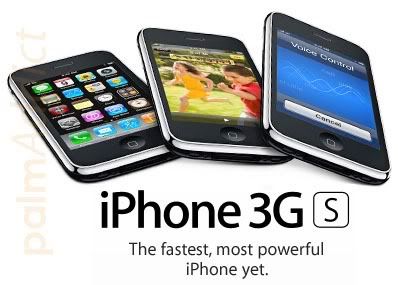
Just less than a week since the introduction of iPhone 3G [S] at WWDC '09, and despite the high upgrade fees for those who have bought older models, AT&T has begun spreading words to customers that they've sold out the iPhone 3G [S] pre-order stocks at launch day.

BGR has received a tip showing an AT&T's internal sales system note which stated:

"Due to the extraordinary demand for iPhone 3G [S], all customers placing preorders on Saturday, June 13, 2009, and later, should be informed that their order will arrive at the store 7 to 14 days from the order date.

Only preorders placed Friday, Jun 12, 2009, or earlier, are expected to arrive in time for the 7:00 a.m. opening on Friday, June 19, 2009."

That means for you who are lucky enough to have placed pre-orders before June 13 yesterday, will have your iPhone 3G [S] delivered to your front doorstep. While for you who are lazy ...*cough*... I mean unlucky ones who placed your pre-orders on & after June 13, then you'll have to wait 7-14 days later. If you think you won't survive that long without holding the newest and the latest Apple smartphone right away at the launch day, then there's no other way than start camping in front of your nearest AT&T or Apple Store at your local area.

But so far, both Apple and AT&T have not make any statement of iPhone 3G [S] stocks at each stores. Although both companies are giving out signals that for those who are lining up will not be dissappointed of not owning an iPhone 3G [S] at launch day, but keep in mind that we've yet to see how long the lines of people who want to get the new iPhone on June 19.

Iphone 3g long line

If you're beginning to feel the cold sweat running down on your neck after knowing this news, then fret not because there's still one left hope of miracle for you. I said "miracle" because this following method might not working anymore... According to iTalkiPhone; you can hack into Apple Store on-line with simple steps to place an order for iPhone 3G [S] and deliver it to your address on June 19, the same day as the official launch day! Here's how:
  1. First install Firebug into your Firefox web browser.
  2. Go to any non-apple product in the store.apple.com (example: http://store.apple.com/us/product/TV...mco=NjM0MTMwMw)
  3. Click on the little FireBug icon on the bottom of the screen, now Firebug pops up and click "Inspect", and choose the "Add to cart Icon"
  4. In firebug, right above where it's highlighted, you should see "". Click on "TV943VC/A" and change it to the value of the iPhone you want. (see code below):
iPhone 3G 8GB ($499): MB046LL/A
iPhone 3GS 16GB Black ($599): MB715LL/A
iPhone 3GS 16GB White ($599): MB716LL/A
iPhone 3GS 32GB Black ($699): MB717LL/A
iPhone 3GS 32GB White ($699): MB718LL/A

Now click on the Add to Cart button, and the iPhone should be in your cart. Proceed to buy it if you want.

The 'admin' of iTalkiPhone even said have talked to an Apple representative about this method, and they confirmed that you can do this. But remember, this way you're buying an un-subsidized iPhone. For more thorough process, you can visit the link above and see pictures attached on how to do the steps.

Iphone 3gs unboxing Too much? Are you the kinda person who much prefer to wait till this iPhone 3G [S] buying rage cool down, and leisurely waltz into an Apple Store without lining up (and sweating, and elbowing, etc.) to get it? Then why don't you just enjoy the pictures of iPhone 3G [S] first unboxing, entice yourself with an early live shots of the new iPhone before you get it later. The unboxing pictures were posted by Engadget China, unfortunately the post has been pulled which most probably because Apple asked them to.

But thank goodness iTalkiPhone has downloaded all of the live shots, and posted them up at their own website. You'll have to register first in order to view them, but I doubt such trivial thing will stop you. Right? ;-p

Wednesday, June 10, 2009

WWDC '09: iPhone 3G [S] it is!

Well, well, well. Look what the cat dragged in... it's a new iPhone, and it's called: iPhone 3G [S].

If you were following the live coverage of yesterday Apple's WWDC '09 or if you've been keeping up with the latest news, then you must have knew it already that the rumors were right; Apple did introduce a new iPhone after all along with refreshed MacBook line-ups and upcoming new Snow Leopard.

Like me, some of you might have been surprised to learn that one of the last minute rumors and the most unlikely to be taken serious rumor was actually the right one. When I heard about how John Gruber of Daring Fireball got a tip that there's a new iPhone model passed around at Apple with codename: "iPhone 3GS", I thought that was just a(nother) rumor. But apparently the tip and John's hunch were right on the money, he speculates the "S" moniker stands for "speed" and he's right.

Phil Schiller, Apple's senior vice president of Worldwide Product Marketing confirmed what the "S" means when he was on stage at WWDC '09:

"The S stands for SPEED. Because 'this is the most powerful, fastest iPhone ever made.'
Averages 2x speed increase. OpenGL ES 2.0 support. 7.2Mbps HSDPA.
Launching messaging is 2.1x faster, loading SimCity is 2.4x faster, viewing Excel 3.6x faster, loading NY Times 2.9x faster.
The new iPhone 3G [S] is a REALLY fast phone."

There are of course many other features that come with the new iPhone hardware, the iPhone 3G [S]. But I don't think you need me to write them all over again here, you must have memorized them all and you can even mention them one by one with your eyes closed. But just in case you haven't know what to expect from the new iPhone 3G [S], then you can visit Apple's iPhone website for further information. And for more thorough and complete feature guide, including the whole WWDC '09 coverage (MacBooks, Mac OS X, iPhone OS 3.0, etc.), I recommend Gizmodo's WWDC '09 round-up.

Is it really worth it?

Even though Apple has jam-packed the new iPhone 3G [S] with some new features which can't be found in the previous models (iPhone Classic & 3G), for users and consumers that really is not what matter most. Talking about a new model means only one thing for owners of the old model: is it really worth it to upgrade?

Before we get into that, let's take a quick look at the iPhone pricing plans now: the 16GB iPhone 3G [S] will costs $199 and $299 for the 32GB model, meanwhile the old 8GB iPhone 3G is reduced to $99. See the live photo shot below of Phi Schiller's presentation of iPhone pricing plans, photo is courtesy of Gizmodo.

So Apple maintains the low price of its iPhone models most probably in order to fight the newly launched Palm Prē™, the prices sound great for new AT&T subscribers. But not for current AT&T subscribers with on going contract, they must pay higher price to get the new iPhone 3G [S].

AT&T spokesperson Mark Siegel told Macworld that to upgrade the 8GB iPhone 3G will costs $299, the 16GB iPhone 3G [S] is $399, and the 32GB iPhone 3G [S] costs $599. In addition, customers will have to pay an $18 upgrade fee. Plus only if AT&T deems eligible the subscribers for an upgrade, which depends largely on how far along they are in their contract. AT&T subscribers should check their eligibility status, which they can do via Apple's online store or AT&T's web site before purchase, just to make sure.

With these kinda pricing plans, can Apple still sway the iPhone users to buy the new model instead of tempted to switch to the other side? (the cué goes to Palm Prē™ *wink*) Apple-fans' loyalty is currently put at test...

iPhone 3G [S]: Newer, faster & packs 'oleophobic coating'... (Huh, say what?!?)

From all of those exciting new features in the new iPhone to make you drool for it, there's one particular feature that you and I need to learn before we perfectly know it. Apple is touting the new iPhone 3G [S] carries a new featured technology on its screen called "fingerprint-resistant oleophobic coating." Yeah, ohkay I understand completely the first line: "fingerprint-resistant", but how about the latter? "Oleophobic" sounds like a disease, or like a scary new symptom to me. ~LOL~

An eagle-eye JAiB reader named Everette has spotted details within Apple’s ‘How To’ pages for the new iPhone 3G [S] about that "oleophobic coating" thingy:

To clean iPhone, unplug all cables and turn off iPhone (press and hold the Sleep/ Wake button, then slide the onscreen slider). Then use a soft, slightly damp, lint-free cloth. Avoid getting moisture in openings. Don’t use window cleaners, household cleaners, aerosol sprays, solvents, alcohol, ammonia, or abrasives to clean iPhone. If your iPhone has an oleophobic coating on the screen (iPhone 3G S only), simply wipe your iPhone’s screen with a soft, lint-free cloth to remove oil left by your hands and face.

So after the long explanation, basically in short "oleophobic" means oil-resistant. Thank you to Everette for the find, thanks to Patrick J. from JAiB for the news, and of course many thanks to both of them for helping us learn a new word today. ;-p

iPhone 3G [S] out June 19th, but accessories are out now

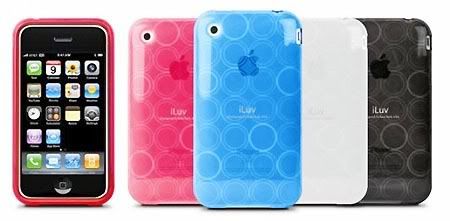
Unlike the MacBook lines which become available right away after the WWDC '09 event, the new iPhone 3G [S] is set to be released into the market on June 19th. But even though the handset is yet available right now, third-party add on makers like iLuv has already launched a new accessory line designed specifically for the iPhone 3G [S]. According to Jasmine France from iPhone Atlas; iLuv's accessories selection is made up almost exclusively of cases with one car accessory thrown in for good measure. Check out iPhone Atlas' gallery for pricing and details.

What's up with the new iPhone naming?

No pun intended at the beginning line of my post up there, but seriously what was Apple thinking when they decided to add an [S] behind the already exist iPhone 3G name? Can't they come up with a better name? To think of it, at first I thought it was kinda silly but now I much more like the sound of "iPhone Video" instead...

I have to agree with Nilay Patel from Engadget who said about the new iPhone's name: "Let's face it, 'iPhone 3G S' is a pretty clunky name." ;-p

There are two kind of ways to write the new naming which is widely accepted: iPhone 3GS and iPhone 3G S. But I wanted to use [S], so it would be more like how Apple writes it in the official logo.

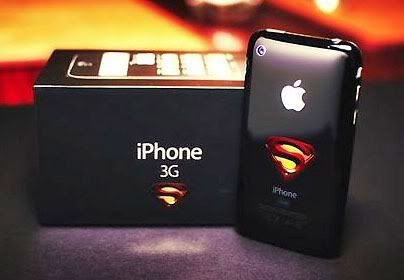
These days we're being bombarded with unique and catchy names for smartphones; beginning from BlackBerry Bold, T-Mobile G1, HTC Magic, Palm Prē™, and now iPhone 3G [S]. It's getting weird-er, and funni-er. Thank goodness that Apple didn't call the [S] as "Super", like what Dr. Cullen did with his own version of iPhone 3G [S] below. (* Note: the Flickr link has been deleted for copyright reason)

But perhaps to call the new iPhone with nickname like "Super" is quite befitting, just like what Mr. Besilly from iPhone Savior has said about Dr. Cullen's image: "The fantastical idea of the (S) in iPhone 3GS being more appropriately fitted with the correct Super Hero emblem is not that far off from what true cult of iPhone fanatics would like to believe about Apple's epic 2009 upgrade. It's much more powerful!" ;-)

Look! It's a phone! It's a smartphone! No, it's an iPhone 3G [S]!! ~LOL~

Tuesday, June 9, 2009

Counting down (few minutes left) to WWDC '09: Last minute reality check

If you're reading this means either you're currently awake and staring at your monitor, waiting for the WWDC '09 to kick start in just few more minutes to go; or you just happened to be re-reading the old posts archive and missed the live coverage. ;-p

Today is a big day for Apple and iPhone fans, as in a matter of minutes away Apple's Phil Schiller will deliver his keynote and soon we'll know what Apple has been up to these days. There have been many rumors going on for the past weeks about the new iPhone, but no matter how good they are, rumors are just whispers in the wind.

Nonetheless, we're all suckers for juicy rumors. If we're not careful, the fake excitement we're getting from rumors will only lead to huge dissappointment. So what we really need is a reality check, something to bring us back to the ground before we float way too far. Here's what we really sure know what will be the topics in this year's WWDC based on the banners hanging around the event: iPhone OS 3.0 software & 64-bit Mac OS X (pictured below).

Without doubt, the main topic of WWDC '09 will be about the iPhone apps. The WWDC banner located at the registration hall shows that crystal clear, saying: "One year later. Light-years ahead." (pictured at the top) And just in case you you didn't see it, there's a man on the left moving away from the registration counter carrying a black-colored bag wrapped in plastic; that's the WWDC '09 schwag for the attendees. The schwag consists of a black WWDC 2009 tee shirt and black vinyl backpack (pictured below).

So, the WWDC '09 is about to begin soon. I'm going off to watch it live on various tech blogs, and I'm sure you are too, enjoy!

Spb Brain Evolution for iPhone

Just received this today from Victoria Krasilshikova - Spb Software House: Spb Brain Evolution - the world's number one bestselling Windows Mobile game of 2008 - is now available for users of iPhone and iPod Touch.


Spb Brain Evolution is a braintrainer: an intellectual game that helps to improve memory, logic, arithmetic, and puzzle-solving skills. The application is an intriguing suit of addictive 10 games, which have to be played in sequence: only good results in one game unlock the next one for playing.

Spb Brain Evolution supports two independent game modes: Brain Marking and Brain Training: for evaluating the current 'brain fitness', and for improving the score, respectively. Logic, orientation and patterns, memory and calculation, facts and statistics - all can be worked on while playing Arithmetics, Balltracker, Encyclopedia, Guess Who, Matches, Memorics, Minesweeper, Numbers, Quadronica, and Sudoku.

Spb Brain Evolution keeps overall game statistics, builds progress reports, and supports profiles for multiple players. Brilliant play with high scores is rewarded with special achievement certificates, which can be printed out and used to intimidate the more novice Spb Brain Evolution players, be it family of friends. Spb Brain Evolution also cites an interesting fact at the end of every completed training.

Spb Brain Evolution Main Features:
  • 10 games (Sudoku included)
  • Brain Marking and Brain Training modes
  • Game statistics & progress reports* Multiple user profiles
  • Cool facts knowledgebase
  • Rewards for better play
  • Addictive sequential game play
Pricing and Availability: Spb Brain Evolution for iPhone is compatible with iPhone OS 2.2 and higher, and may be purchased for 4.95 USD from the Apple AppStore. Spb Brain Evolution is also available for smartphones running Windows Mobile and Symbian S60 OS.

Further Information and Downloads: Spb Brain Evolution web page for iPhone

Saturday, June 6, 2009

Counting down (2 days left) to WWDC '09: Are these the new 3rd gen "iPhone Video"?

Tease... tease... and tease. That's what you'll get if you're following every news and rumors about what kind of new iPhone to be introduced at WWDC '09, either they're right on the money or just some pranks made to enfuel the excitement. But you've gotta admit it, you love it don'cha? ;-p

Tuaw iphone video One of the latest juicy rumors arrived this weekend is about the new nickname to call Apple's 3rd generation mobile device: "iPhone Video", TUAW has received an anonymous tip stating that AT&T's support website will be updated with "iPhone Video" as one of the model choices when choosing Apple as the phone manufacturer. The tipster even included a live screenshot of the purpotedly new model choice (pictured on the right).

AppleInsider also has received a tip with live screenshot which is showing new iPhone model placeholders at Carphone Warehouse labelled as "V3", althought there's no further confirmation whether the "V3" stands for "Version 3" or "Video". Again, we're still in the fog about this "iPhone Video" nickname...

Ispazio iphone video But you know how it always goes, rumors won't complete without a blurry image to back it up. So came along an Italian iPhone blog called iSpazio, who contributed to the boiling rumor nickname with a live screenshot of the device. The blurry image you see on the left shows a very weak green-light dot just below the ear-piece, could it be a face-front video camera for tele-conference call?

It is very unlikely for a face-front camera to be in size that small, however it does go along with the "iPhone Video" nickname. In which the nickname unconsciously makes us to believe the 3rd gen iPhone will be capable of full video features such as video recording, editing and even tele-conference call as well. These all are just a wishful thinking, although we can only rely on two things for certain: Apple needs to raise the competition bar once again since the Palm Pre™ is launched today on June 6th, secondly Apple is one of a kind company who loves to surprise us all with the 'unthinkable' new products.

Macenstein iphone video Is that all? Not quite yet, there's one left. But you better be prepared for the most uncommon rumor: the new 32GB iPhone will be available in "green with pink flowers" & "yellow with fluffy bunny" option models! Macenstein has received an inventory screenshot taken from a Hungarian T-Mobile store showing what appears to be the full line of new iPhone colors and capacities (pictured on the right), Macenstein then reminds us that Apple briefly toyed with flowery patterns on the original iMac, releasing a short lived “Flower Power” model. Uuuhh... I'm speechless about this one. ~LOL~ But hey, at least if this is true there's still the "plaid" option model to choose from.

There you have them all, the "iPhone Video" rumors. Which one do you prefer? Me, I much rather hope the 3rd gen iPhone will look like the 3D-rendered image at the top of this post or like the "iPhone Video" image below. *wink*

Pa iphone video